Skull Cap AI studio: turn one photo into the skull cap trend
Add a photo of yourself or your pet and get the viral skull cap video with the original moves, the hard cut and the camera. No prompt, no editing, no watermark.
Photos like this work best
- Clear, waist up

- Screenshot, stickers😎
- Head only
- Dark or blurry
Photo tips
Use everyday photos of yourself, your pets or friends (with their consent). Celebrity photos and film or MV stills won't pass review.
Photo blurry or too small? Sharpen it free with Lumenfix →No account needed · refunded automatically if it fails or isn't approved
Selected template
Skull Cap · Person
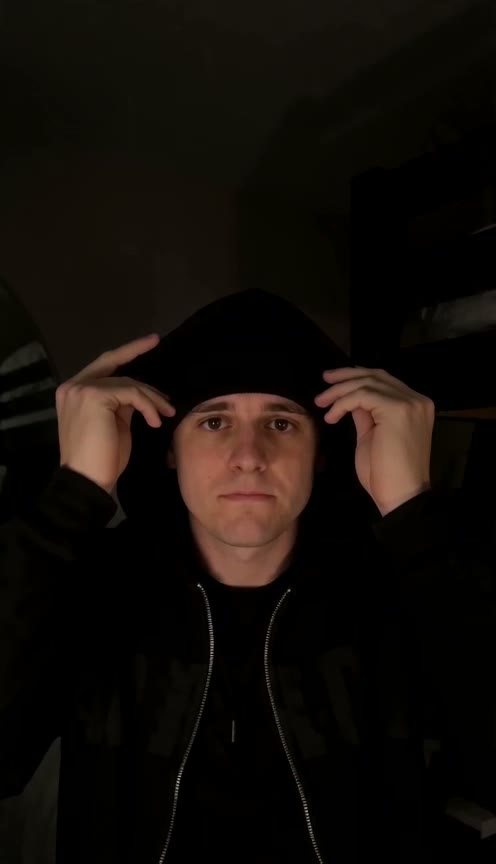
Skull Cap · Person is a one-photo template for people: upload a photo of yourself and you star in the viral skull cap trend ("how dudes act 0.01 seconds after putting on a skull cap", TikTok, October 2026). In a bright room you look a bit awkward and pull a black knit skull cap down over your head; at 4.75 s it hard-cuts to the same room in the dark, black hoodie with the hood up over the cap, glasses off, and you stare coldly into the lens. Your face comes from your photo. The result is a 10 second 9:16 video with the trend sound ("original sound - SoulReligion") lined up so the beat drops on the cut; switch it off if you'd rather add TikTok's own sound. No prompt needed.
See the full template →Studio FAQ
Budget is the cheapest, Balanced follows the moves more closely, and Premium has the finest detail and 1080p. Every model renders the whole 10-second clip, with the original moves, the hard cut and the camera. Every video comes with the trend sound, lined up with the cut; switch it off before downloading if you'd rather add TikTok's own sound.
One person or one pet per photo, a clear front-facing face and even light. Use your own photo, one of an adult who agreed to it, or one of your own pet; celebrity photos and film or music video stills don't pass review.
Usually 6–10 minutes, including photo review. You can leave the page — finished videos are saved to Your renders, and the browser can notify you when it's ready.
Right here: after checkout you come back to your video's page, and the video appears on it as soon as it's ready (usually 6–10 minutes). You can leave the page: we email you the link when you pay and again when the video is ready, and the link keeps working. Videos bought in this browser are also listed under My videos, and if you sign in with the email you used at checkout they show up in your account too. Lost the link? Go to Find my videos (at the bottom of every page), enter your checkout email and we'll email you every link again.
The credits for that render come back to your balance automatically. You can try again with different photos.
Yes. We never publish your photos or videos, show them to other users or use them in our examples or marketing. Only you can see them in your history.